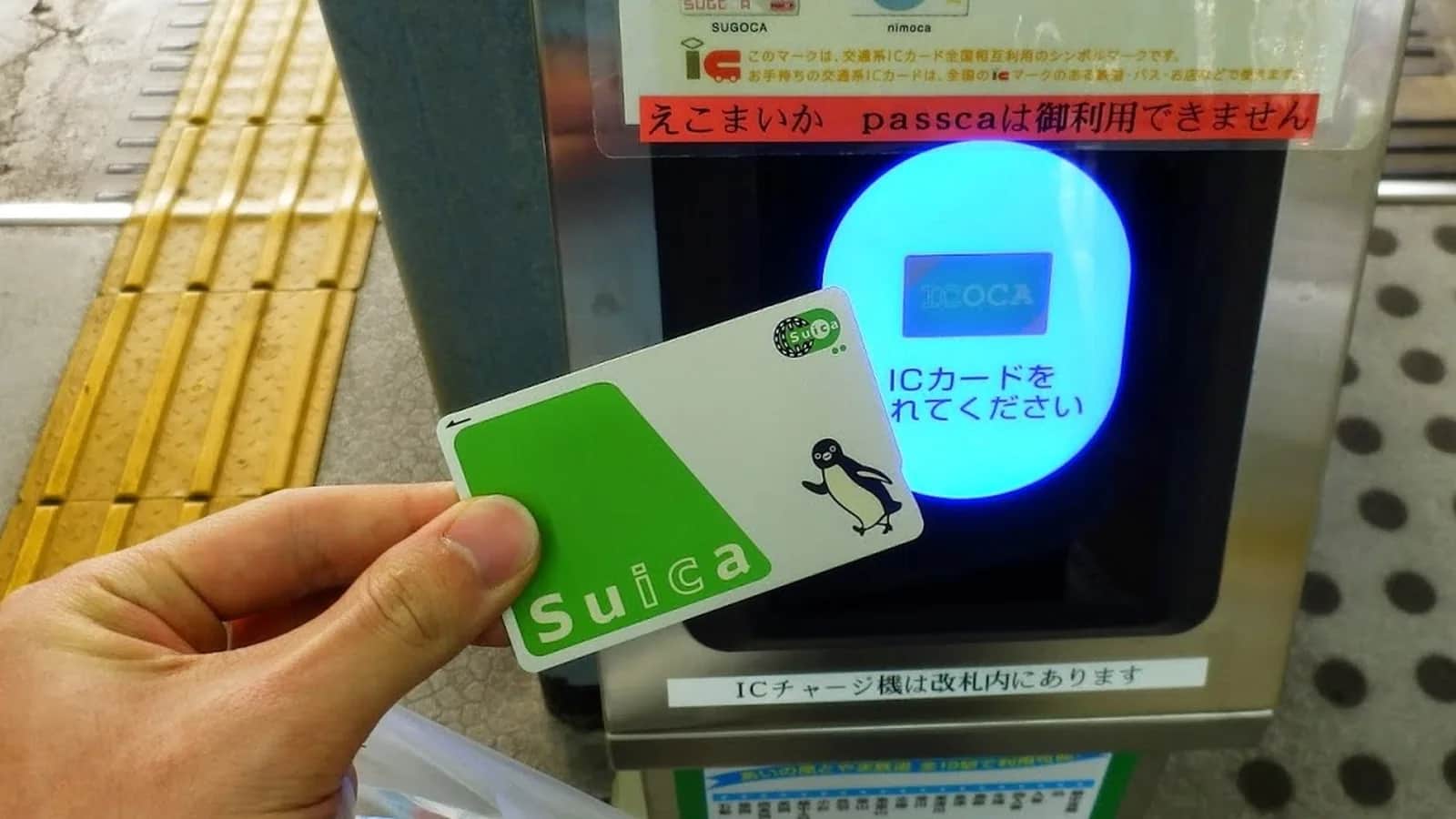
- validity of a Welcome Suica card, counted from the day of purchase, with no deposit and no refund of the balance
- 28 days
- deposit included in the price of a regular Suica card, about $3, returned at a JR East station
- ¥500
- maximum balance a Suica can hold, about $125, on a card or on a phone
- ¥20,000
On this page
A Suica card is the rechargeable IC card of JR East: you load yen onto it, tap it on the ticket gate and the fare is deducted, on trains, subways and buses across most of Japan. On 14 November 2026 visitors can get one in three ways: the regular green card with a ¥500 deposit (about $3), the red Welcome Suica, valid 28 days with no deposit, or a Suica on an iPhone. Everything below was checked on the JR East, PASMO and Apple websites on that date, and prices are converted at 160 yen to the dollar.
Which Suica card to get in 2026: regular card, Welcome Suica or iPhone
The card shortage is over. JR East stopped selling Suica cards in 2023 because it could not get enough chips, brought back the registered card in September 2024 and the unregistered card in March 2025. In November 2026 the multifunction ticket machines sell all three physical versions again: the unregistered Suica, the registered My Suica and the commuter pass. The right one depends on the length of your stay and on your phone.
| Version | Cost to start | Validity | Refund | Best for |
|---|---|---|---|---|
| Regular Suica card | From ¥1,000 (about $6), of which ¥500 is a deposit | 10 years after the last use | Balance minus ¥220, plus the deposit | Stays over four weeks, repeat visitors, new residents |
| Welcome Suica card | ¥1,000 to ¥10,000, all of it usable | 28 days from purchase | None | Trips of up to four weeks without an iPhone |
| Suica in Apple Wallet | The amount you load | 10 years after the last use | Not practical for a visitor | iPhone owners who will come back to Japan |
| Welcome Suica Mobile app | The amount you load | 180 days after issue | None | iPhone owners who want an English app and JR East Shinkansen tickets |
For a first trip of two or three weeks, an iPhone user needs no card at all, and everyone else is well served by the Welcome Suica. The regular card makes sense once you stay longer than 28 days, which is the case for most people arriving on a working holiday or a work visa. If you are settling rather than visiting, ask for a registered My Suica: it is the only card JR East will replace when lost.
Where to buy a Suica card at Narita, Haneda and in Tokyo
The Welcome Suica is sold at the JR East Travel Service Centers and at dedicated Welcome Suica machines in the three arrival points most visitors use: Narita Airport Terminal 1, Narita Airport Terminal 2·3 and Haneda Airport Terminal 3, where the counter is at the Tokyo Monorail station. The machines save you the queue at the counter when several long-haul flights land together.
In the city, JR East lists the Travel Service Centers of Tokyo, Shinjuku, Shibuya, Ikebukuro, Ueno, Takanawa Gateway, Yokohama and Sendai stations, plus the Japan Rail Café Tokyo. On 14 November 2026 its page showed sales as temporarily suspended at Kashiwa, Kawasaki, Tachikawa, Omiya, Funabashi, Fukushima and Niigata.
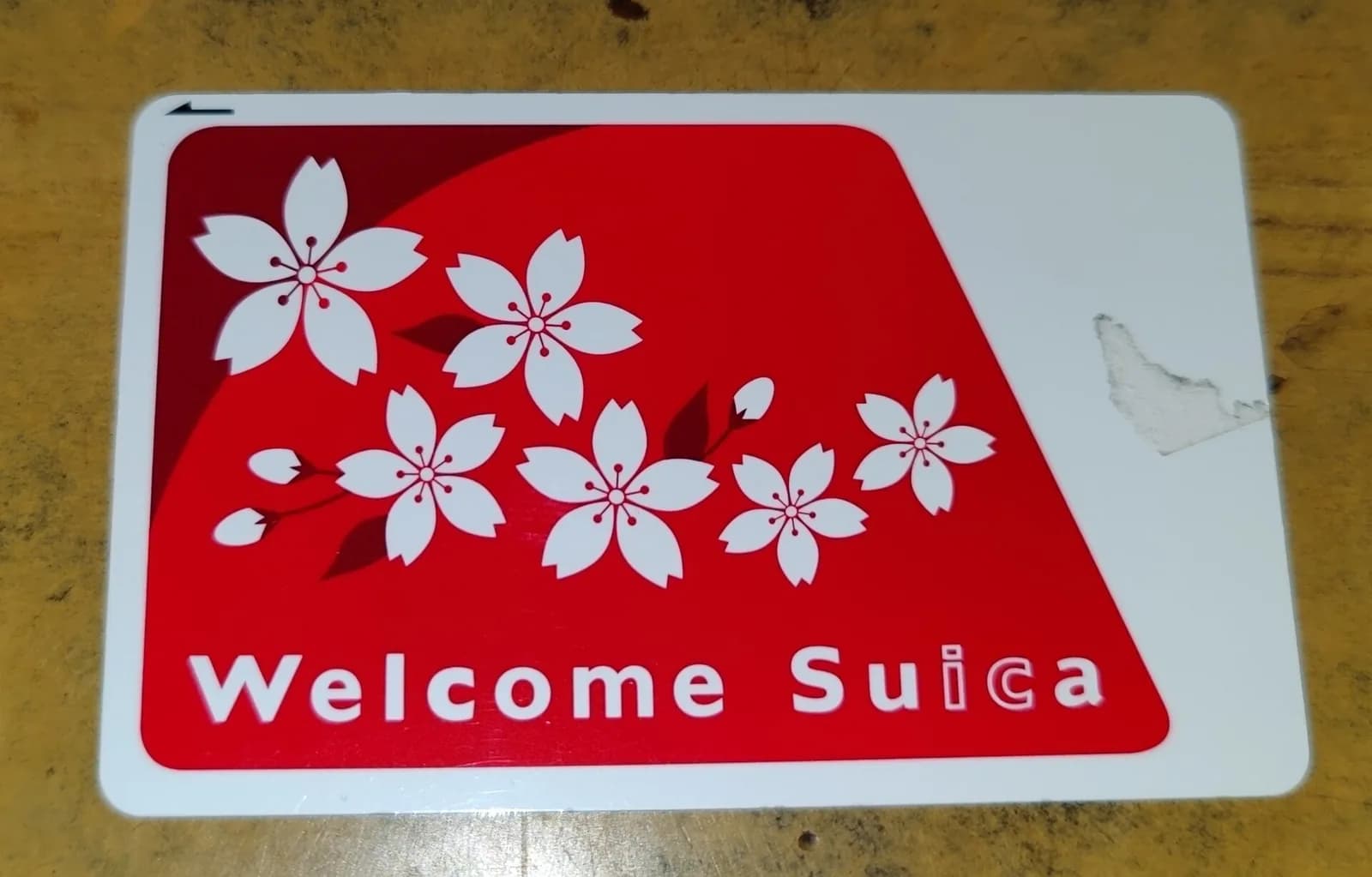
Welcome Suica: price, the 28 days and the reference paper
You choose a starting amount of ¥1,000, ¥2,000, ¥3,000, ¥4,000, ¥5,000 or ¥10,000 (about $6 to $63) and the whole sum is yours to spend. JR East sells one card per person. Three details are worth knowing before you pay:
- The 28 days start on the day of purchase, that day included, and the card is dead on the 29th day. Many guides say the clock starts at first use. The JR East page says otherwise.
- The date printed after GOOD THRU on the back is not your expiry date. The real date is on the reference paper you receive with the card.
- Keep that reference paper with you. It states the validity, adult or child status and balance, and staff may ask for it. Suica-area ticket machines can print it again.
Nothing is refunded at the end, so a Welcome Suica bought on landing does not suit a five-week trip. In that case buy the regular card.
Regular Suica card: any JR East ticket machine
The green card comes out of the multifunction ticket machines in JR East stations, which have an English menu, including the JR stations inside Narita and Haneda. You pay from ¥1,000, of which ¥500 is the deposit and the rest is your first balance. The machine offers an unregistered Suica, issued in seconds, or a My Suica, for which you type your name and date of birth.
Tourist Pasmo, the alternative at the Keisei and Keikyu counters
If you leave Narita on the Keisei Skyliner or Haneda on the Keikyu line, you will pass the Pasmo counters first. Pasmo launched a Tourist Pasmo in May 2026: no deposit, valid 28 days from purchase, no refund and no replacement if lost. At Narita it is sold loaded with ¥2,000 at the Skyliner and Keisei Information Centers of Terminals 1 and 2. At Haneda the Keikyu machines of Terminals 1, 2 and 3 sell it from ¥1,000 to ¥10,000. It works wherever a Welcome Suica works, so take whichever counter is on your way.
How to add a Suica card to iPhone and Apple Watch, step by step
Any iPhone sold anywhere in the world can hold a Suica, which is why this is the route most visitors now take. Apple asks for an iPhone 8 or later, or an Apple Watch Series 3 or later, an Apple Account with two-factor authentication and a payment card in Wallet. You can do it at home before you fly.
- Open the Wallet app and tap the Add button.
- Tap Transit Card, then choose Suica from the list.
- Tap Add a New Card and pick a starting amount. ¥1,000 or ¥2,000 is plenty to begin with.
- Tap Add and confirm the payment with a card stored in Apple Pay.
- The Suica appears in Wallet with Express Mode switched on automatically: at the gate you hold the top of the phone over the reader without unlocking it or opening an app.
On an Apple Watch, open the Watch app on the iPhone, go to My Watch, Wallet & Apple Pay, then Add Card. A Suica lives on one device at a time: you can move it between iPhone and Watch, but you cannot tap with both. Travelling as a couple or a family, each person needs a Suica on their own device or their own card.
Topping up with a foreign card: what works
You top up inside Wallet: tap the Suica, tap Add Money, choose an amount and pay with Apple Pay. Neither Apple nor JR East publishes a list of accepted card networks. Apple only says you need an eligible payment card in Wallet. In travellers' reports, Mastercard and American Express cards issued abroad go through reliably, and Visa cards, which were refused for years, now usually work too, although some issuers still block the charge. Put two cards from different networks in Wallet before you leave and you will not be stuck. A refused top-up costs nothing, and you can always add cash to a phone Suica at a station machine or a convenience store.
The top-up needs a data connection, even though tapping the gate does not. This is the one moment where arriving without mobile data hurts: airport Wi-Fi stops at the terminal doors and the gates of a subway station have none. Our comparison of eSIM plans for Japan and the guide to pocket Wi-Fi and SIM cards cover the options. A data eSIM is enough here, since the top-up never asks for a Japanese phone number.
Welcome Suica Mobile, the JR East app for visitors
JR East also offers Welcome Suica Mobile, an iPhone app in English that issues a Suica into Wallet with no deposit and no issuing fee. It differs from a plain Wallet Suica on four points:
- The Suica is valid for 180 days after issue, and the balance left at the end is lost with no refund.
- It needs iOS 17.2 or later and the user must be at least 13 years old.
- The app sells non-reserved seats on JR East Shinkansen lines and, since 20 February 2026, Green Car tickets for JR East local trains.
- Location access must be on, and JR East warns that issuing or topping up is restricted in some countries. If it fails at home, repeat the step after landing.
For a single trip the app is the simpler choice. If you expect to return to Japan after six months, create the Suica directly in Wallet: it stays valid for ten years after its last use.
Suica on Android: only phones sold in Japan
Mobile Suica on Android runs on Osaifu-Keitai, the FeliCa wallet system built into phones sold on the Japanese market. A Pixel, Galaxy or any other Android phone bought in the US, the UK, Canada, Australia or Europe cannot host a Suica, even when the hardware contains the same chip. Pasmo states it in so many words on its visitor page: Android devices purchased outside Japan are not compatible with Mobile Pasmo.
One change is announced. On 21 April 2026 JR East and Samsung said that Welcome Suica Mobile will come to Galaxy phones sold outside Japan in the first half of 2027. It is not available in November 2026. Until then, an Android user buys a Welcome Suica or a regular card at the airport, which takes two minutes. Residents who buy a phone in Japan get Mobile Suica through Google Wallet like everyone else.
How to top up a Suica card: station machines, convenience stores, cash only
A plastic Suica is topped up with cash, in yen, and nothing else. JR East is explicit that Suica cards cannot be topped up with a credit card. That surprises visitors who planned to travel cashless, so draw yen at the airport before your first top-up.
- Ticket machines and fare adjustment machines in any station showing the IC logo, JR or not, in Tokyo or elsewhere. Insert the card, choose Charge, pick ¥500, ¥1,000, ¥2,000, ¥3,000, ¥5,000 or ¥10,000 and feed the notes. The menu has an English button.
- Seven Bank ATMs, found in every 7-Eleven: choose Charge E-money, lay the card on the reader and insert notes. The ATM takes notes only and gives no change.
- The till of a convenience store: hand the card over, say “Suica charge” and the amount, and pay in cash.
The balance can never exceed ¥20,000 (about $125). That is ample for transport, since a ride inside central Tokyo costs around ¥180 to ¥330, but it rules out paying a large restaurant bill or a hotel with it. There is no limit on the number of top-ups. If the balance runs short during a ride, the exit gate closes: walk to the fare adjustment machine beside the gates, add money and tap out again.
Where you can pay with a Suica card: trains, buses, shops and lockers
On transport, Suica works on JR lines, subways, private railways, monorails and city buses wherever the IC logo is displayed, which covers Tokyo, Kyoto, Osaka, Nagoya, Sapporo, Sendai, Hiroshima and Fukuoka. On a train you tap in and tap out. On a bus you tap when boarding and again when getting off, or only once on flat-fare buses.
Off the rails, the same balance works as electronic money:
- Convenience stores: 7-Eleven, FamilyMart, Lawson and the NewDays shops inside JR stations. Say “Suica” at the till and tap.
- Drink vending machines fitted with an IC reader, which is most of those on platforms and many in the street.
- Coin lockers in large stations: you tap to pay and lock, and the same card is the key to reopen. You cannot split the price between the card and coins.
- Restaurants, cafés and shops showing the Suica or IC logo, including many chain restaurants, drugstores and station malls, and purchases on board trains.
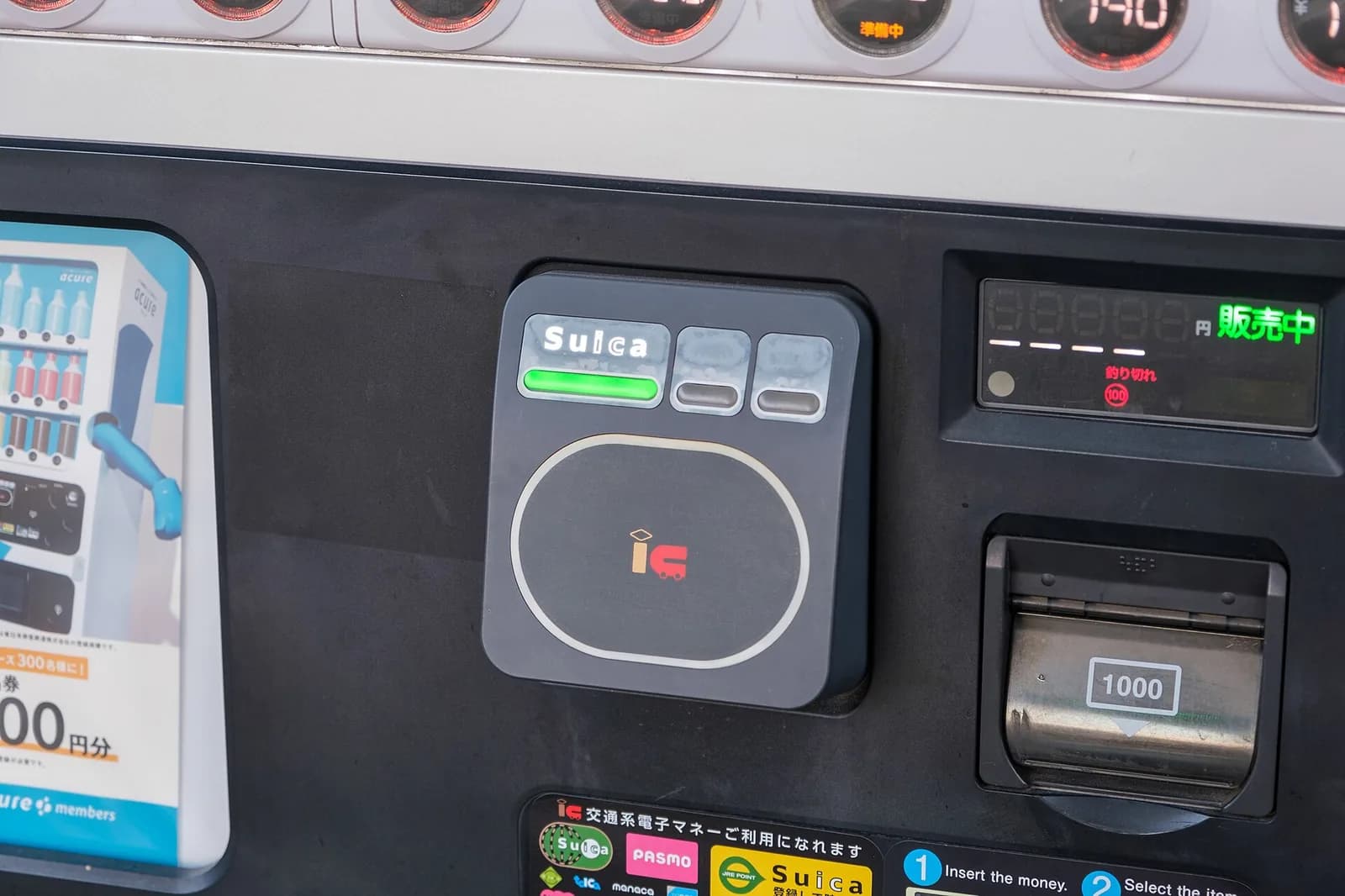
Cash is still needed in Japan for small restaurants, temples, markets and rural buses, so a Suica does not replace a wallet. It does remove the handful of coins that every ticket machine would otherwise give you back.
Suica vs Pasmo vs ICOCA: is there a difference?
For a traveller, almost none. Suica comes from JR East, Pasmo from the subway, private railway and bus operators of Tokyo, and ICOCA from JR West in the Osaka and Kyoto region. Since 2013 they belong to a group of ten cards accepted on each other's networks: Suica, Pasmo, Kitaca, manaca, TOICA, ICOCA, PiTaPa, Hayakaken, nimoca and SUGOCA. A Suica bought at Narita opens the gates of the Osaka subway, and an ICOCA bought at Kansai Airport works on the Yamanote line.
| Card | Issuer | Home area | Refunded at | On iPhone |
|---|---|---|---|---|
| Suica | JR East | Tokyo, Sendai, Niigata, northern Honshu | JR East stations | Yes |
| Pasmo | Tokyo subway, private railway and bus operators | Tokyo region | Stations of the Pasmo operators | Yes |
| ICOCA | JR West | Osaka, Kyoto, Kobe, Hiroshima | JR West stations | Yes, for cards issued by JR West |
So the choice comes down to where you land. Arriving in Tokyo, take a Suica or a Pasmo. Arriving at Kansai Airport, an ICOCA from the JR West station does the same job. There is no reason to own two. The differences that matter are practical: a card is refunded only by its own issuer, so a Suica cannot be handed back in Osaka and an ICOCA cannot be handed back in Tokyo, and commuter passes are loaded only onto the card of the operator concerned.
Where a Suica card does not work
- Rural lines and stations outside the IC areas. Many country stations have no reader. If you tap in with a Suica in a city and get off at such a station, you pay the fare in cash to the staff and have the entry cancelled later at a station with gates.
- Some local buses and trams that use a regional card of their own or accept cash only. Look for the IC logo beside the door.
- Shops in the PiTaPa area. PiTaPa, the post-pay card of the Kansai private railways, is not part of the shared electronic money scheme, and JR East states that a Welcome Suica cannot be used in stores in the PiTaPa areas. Trains and buses there accept it normally.
- Highway buses, taxis and airport limousine buses vary by company. Many taxis in Tokyo take Suica, far fewer do in small towns.
What a Suica card does not cover: Shinkansen and trips between two IC areas
A Suica pays the basic fare and nothing more. For a limited express, an express or a Green Car you buy a separate ticket on top. For the bullet train you need a Shinkansen ticket: tapping a plain Suica on a Shinkansen gate does not let you through. The ways to book, the fares and the Tokyo to Kyoto route are in our Shinkansen guide, and the pass that covers long distances is explained in the Japan Rail Pass guide. The pass and the Suica are complementary: the pass handles JR trains, the Suica handles subways, private lines and buses.
The second limit catches people on slow regional trips. The Suica network is split into areas, six for JR East alone (Tokyo, Sendai, Niigata, Morioka, Aomori and Akita), next to those of JR Central, JR West and the others. You cannot tap in in one area and tap out in another. JR East gives the example of Tokyo to Sendai by local train: the card will not open the exit gate. For such a trip you buy a paper ticket, or you get off at the edge of the area, exit and tap in again. Tokyo to Kyoto or Osaka by ordinary train is in the same position, since the route crosses from JR East into JR Central and JR West territory.
If the gate refuses you at the end of such a ride, do not force it. Show the card to the staff at the window beside the gates, pay the fare in cash and ask them to clear the entry record. A card with an open entry will not work for its next ride.
Suica card for children: age rule and how to buy one
Children pay half the adult fare from age 6 to 11 on Japanese railways, and children under 6 travel free with an adult in most cases. An adult Suica always deducts the adult fare, so a child needs a child card to get the reduced one.
- Child Welcome Suica: sold at the JR East Travel Service Centers and Welcome Suica machines. You show the child's passport, and a relative can buy it on the child's behalf. It is valid until 31 March following the child's 12th birthday, within the 28 days of the card.
- Child Tourist Pasmo: same principle, valid until 31 March of the year the child turns 12.
- No child Suica on a phone: Welcome Suica Mobile is reserved for users aged 13 and over, and a Suica created in Apple Wallet charges adult fares.
A child card used by someone over the age limit is charged the adult fare plus a penalty of twice that fare, so do not pass it to an older sibling. On a family Japan itinerary, buy the children's cards at the airport counter, where staff are used to the passport check.
Suica card refund: getting back your balance and the ¥500 deposit
A regular Suica is refunded only at JR East stations, at a ticket office. You cannot return it in Kyoto, Osaka or at Kansai Airport, which matters if you fly home from there. JR East keeps a ¥220 fee (about $1.40) out of the balance and returns the ¥500 deposit in full:
| Balance on the card | Fee kept | Deposit returned | You receive |
|---|---|---|---|
| ¥1,000 | ¥220 | ¥500 | ¥1,280 |
| ¥100 | ¥100 | ¥500 | ¥500 |
| ¥0 | ¥0 | ¥500 | ¥500 |
The fee is never taken from the deposit. The sensible move is therefore to spend the balance down to zero before returning the card: at a convenience store you can pay part of a purchase with what is left on the Suica and the rest in cash. If you plan to come back to Japan within ten years, keep the card instead. It will still work.
A Welcome Suica is never refunded, whatever the balance and however many days remain. The only exception is a faulty card: with the 17-character number starting with JE still readable on the back, a JR East ticket office can refund it from the day after you report it, up to 14 days after the end of validity. Welcome Suica Mobile follows the same rule, and its balance disappears after 180 days. For a Suica created directly in Apple Wallet, we found no official refund route open to visitors. Guides written by residents describe a procedure that goes through the Japanese Suica app and a Japanese bank account. Treat that balance as money to spend.
Lost Suica card, registered My Suica and the 10-year expiry
What happens after a loss depends on the version:
- Unregistered Suica and Welcome Suica: not reissued. The balance is gone, which is one more reason to load ¥2,000 or ¥3,000 at a time and not ¥10,000.
- My Suica: report the loss at a station office in the Suica or Pasmo area with an ID. The card is blocked and a new one carrying the balance is issued for a ¥520 fee plus a new ¥500 deposit (¥1,020 in total, about $6), to be collected within 14 days. The name, date of birth and sex given at purchase must match your ID.
- Suica on iPhone: mark the phone as lost in Find My to suspend the card. The Suica is tied to your Apple Account and can be added again to a replacement device with its balance.
A regular Suica that has not been used for 10 years becomes invalid. Even then JR East will transfer the balance to a new card or refund it with the deposit. Cards kept from a trip years ago are therefore worth bringing back: one top-up and they are in service again.
One last point for arrival day. The Suica is bought after immigration and customs, which go faster with the QR codes of Visit Japan Web prepared before the flight. If the Suica is already in your phone, you can walk straight from customs to the train.